References
One Click Recovery (OCR) – Device Management Toolkit Tutorial
Summary
One-Click Recovery (OCR) is an Intel® AMT out-of-band (OOB) capability that lets an administrator remotely force a vPro device to boot straight into a recovery environment — even if Windows itself won't start. This article explains what OCR does, the three recovery options it supports, and how it fits with the AMT integration already present in the Netop Portal.
What is One-Click Recovery?
Intel® One-Click Recovery uses the AMT out-of-band channel to remotely and securely boot a device into a recovery environment, independent of the operating system's own state. Because it works over AMT's CIRA (Client Initiated Remote Access) connection, it functions even when the device won't boot normally, as long as it is plugged in, network-connected, and AMT-activated.
Supported recovery options
OCR supports three distinct recovery targets:
Option | Description |
UEFI HTTPS Network Boot | Boots the device from a recovery/OS image (ISO) hosted on an HTTPS server, over the network. |
Windows Recovery Environment (WinRE) | Boots directly into the built-in Windows repair and troubleshooting environment. |
Local Pre-Boot Application (PBA) | Launches a recovery or diagnostic tool already installed on the device's EFI System Partition. |
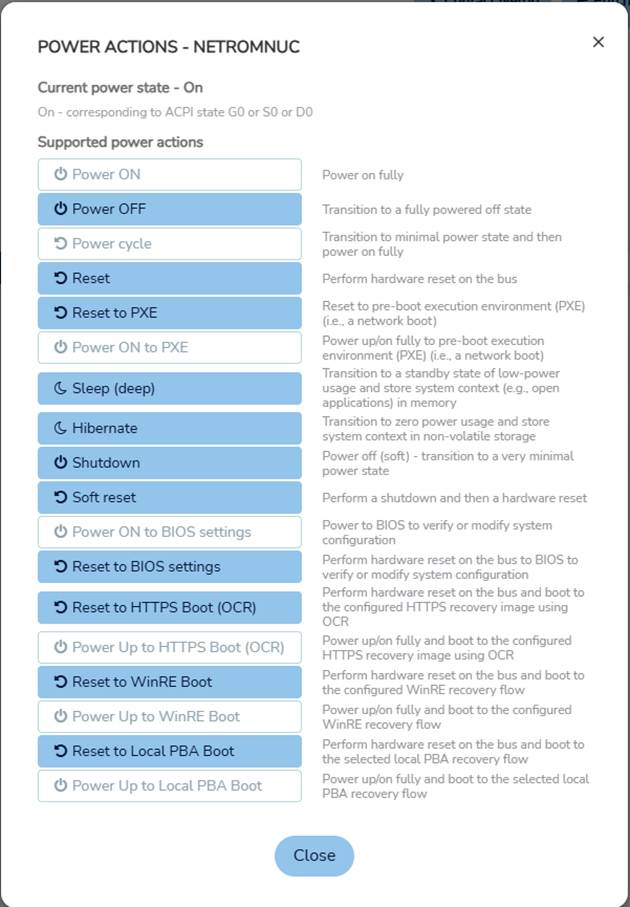
1. UEFI HTTPS Network Boot
Recovers a device using an ISO image hosted on a network HTTPS server.
Prerequisites:
- HTTPS Boot must be enabled in BIOS (disabled by default on some devices).
- If the ISO is not signed by a trusted CA, Secure Boot must be disabled in BIOS.
- An HTTPS server must be set up to host the recovery ISO.
- The target device must show as connected in the management console (or via the device-status API).
Triggering the boot (via console or API) generally follows this flow:
- Confirm the device supports HTTPS Network Boot (reported as an AMT capability).
- Upload the HTTPS server's root certificate as a trusted certificate on the device.
- Select the “Reset to HTTPS Boot” action and supply the ISO URL.
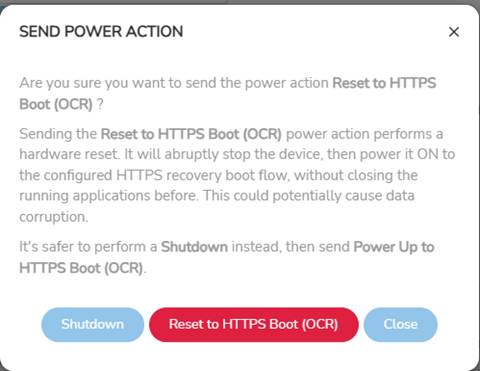
4. Optionally enforce Secure Boot (only configurable when the device is provisioned in Admin Control Mode — in Client Control Mode, Secure Boot is always enforced).
5. Confirm — the device restarts and boots from the specified ISO. A KVM session can be used to watch the process.
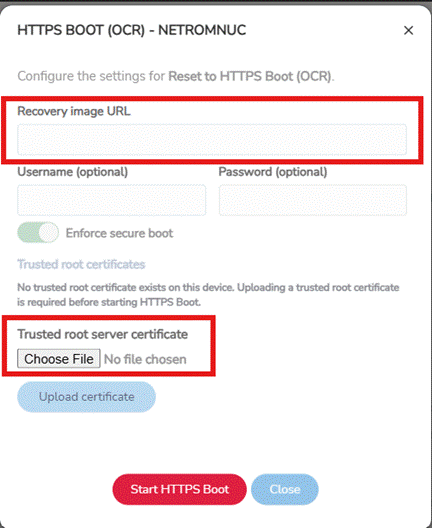
The two underlying AMT power-action codes are 105 (Reset to HTTPS Boot) and 106 (Power on to HTTPS Boot).
Action Code | Description |
105 | Reset to HTTPS Boot |
106 | Power on to HTTPS Boot |
2. Boot to Windows Recovery Environment (WinRE)
Prerequisites: the device must run Windows with WinRE available and configured (included by default in most modern Windows versions, e.g. Windows 11 and Windows Server 2016+).
Triggering the boot: once the device is confirmed connected and OCR/WinRE support is confirmed, selecting “Reset to WinRE” immediately restarts the device into the Windows Recovery Environment.
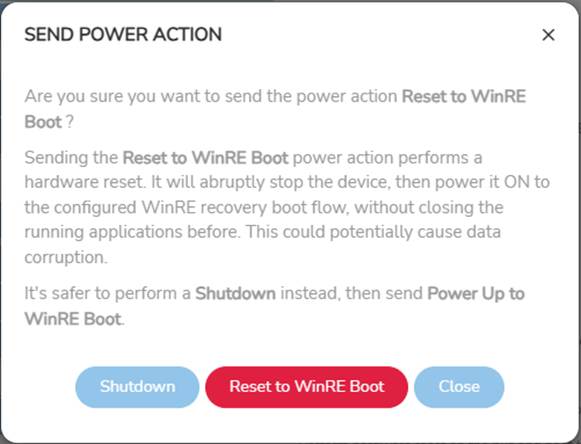
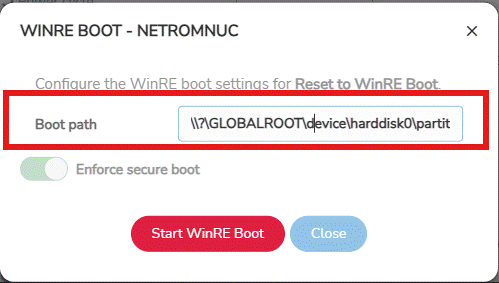
Underlying AMT action codes:
Action Code | Description |
109 | Reset to WinRE Boot |
110 | Power on to WinRE Boot |
3. Boot to Local Pre-Boot Application (PBA)
Launches a recovery/diagnostic tool that is already installed on the device rather than fetched over the network.
Prerequisites:
- A signed .efi binary (e.g. OemPba.efi) must already be present on the device's EFI System Partition.
- The EFI file path/name must exactly match the entry registered in BIOS so it appears in the OCR dropdown (this can be confirmed via a TLS console connection using “Reset to OCR”).
- The PBA's signing certificate must be enrolled in the BIOS Authorized Signatures database (db).
Triggering the boot: confirm the device is connected and that “PBA Boot” is reported as supported, then select “Reset to PBA,” choose the matching EFI entry from the dropdown, and confirm. Secure Boot is always enforced for local PBA boots — AMT cannot verify the origin of a locally installed PBA, so this cannot be disabled.
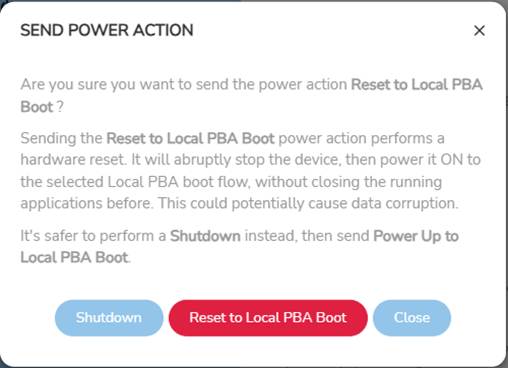
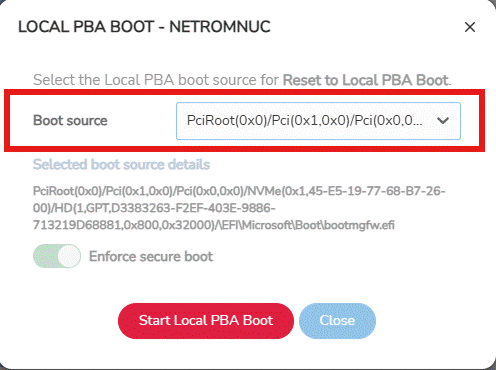
Underlying AMT action codes:
Action Code | Description |
107 | Reset to Local PBA Boot |
108 | Power on to Local PBA Boot |
Was this article helpful?
That’s Great!
Thank you for your feedback
Sorry! We couldn't be helpful
Thank you for your feedback
Feedback sent
We appreciate your effort and will try to fix the article