To deliver a more consistent, secure, and streamlined experience across all Netop services, we are standardizing our service URLs. As part of this upgrade, we are transitioning all access from: connect.backdrop.cloud to portal.netop.com
The new URL is already active. We highly recommend that you start updating your bookmarks, integrations, and system settings without delay.
What is the reason for this change?
We are restructuring services within the netop.com domain to enhance long-term stability, maintain brand consistency, and extend the service lifecycle. This update ensures you will connect to a modern, fully supported environment moving forward.
What you need to do
Please review and update any internal systems or user workflows that currently reference the old URL.
Netop Guest:
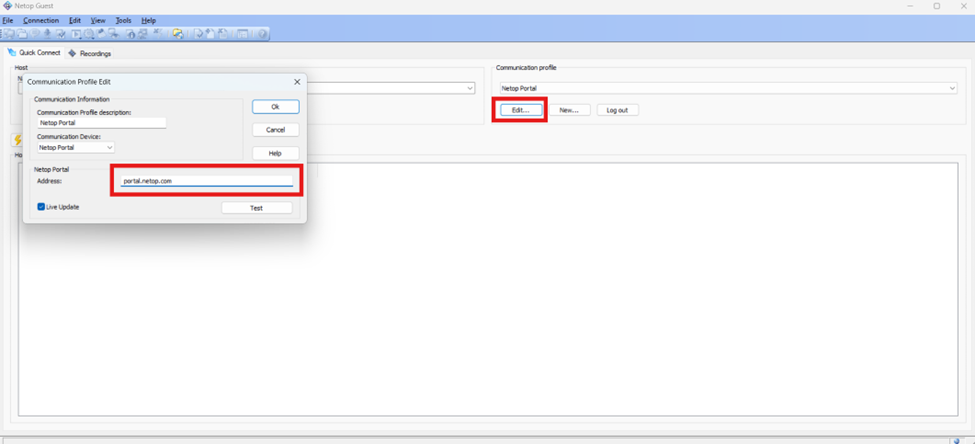
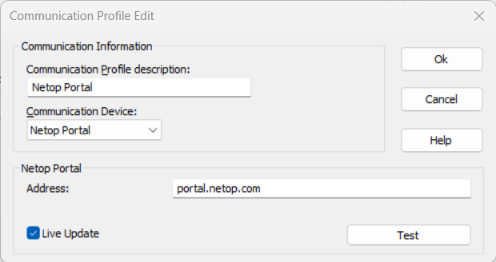
- Access Netop Guest communication profile
Change the old value 'connect.backdrop.cloud' to the new value 'portal.netop.com', as shown below.
Guest:
Netop Host:
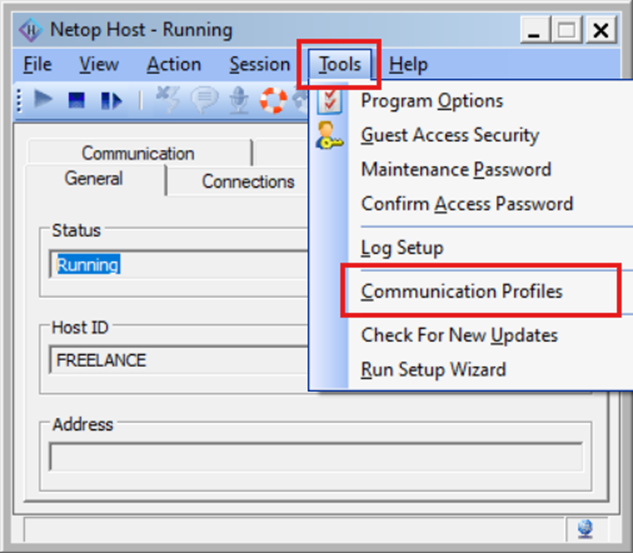
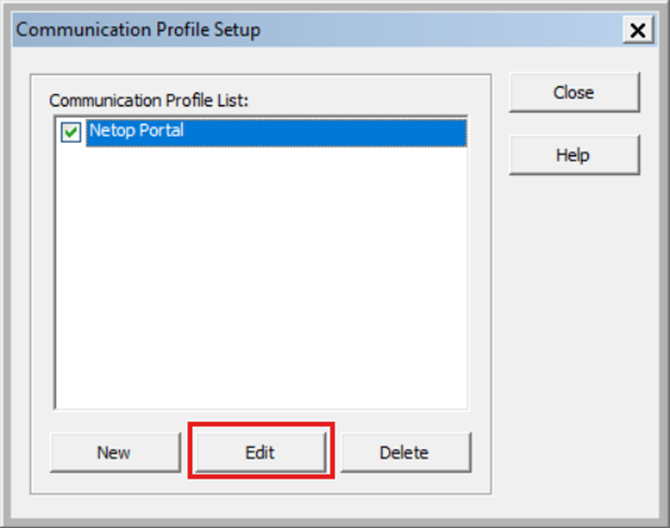
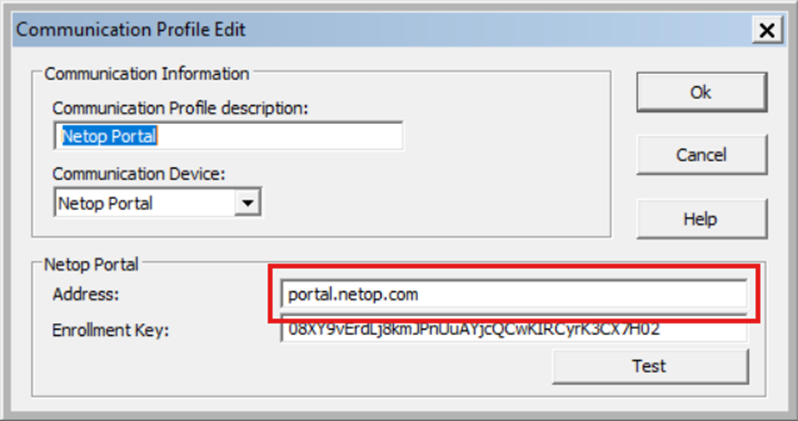
1.Access Netop Host > Tools > Communication Profiles > Netop Portal and select "edit"
2. Under Address: change the old value 'connect.backdrop.cloud' to the new value 'portal.netop.com', as shown below:
Host:
Update where applicable:
- Application or device configurations
- API calls or automated scripts
- Bookmarks and saved shortcuts
- Internal documentation or SOPs
- Portal access links embedded in tools or dashboards
Timeline for transition
- Now through June 2026, both URLs will remain available, but all customers should actively switch to portal.netop.com
- After June 2026, connect.backdrop.cloud will be fully deprecated and no longer accessible.
Was this article helpful?
That’s Great!
Thank you for your feedback
Sorry! We couldn't be helpful
Thank you for your feedback
Feedback sent
We appreciate your effort and will try to fix the article